
Overview
Metric Groups allow Admin users to group Learning Aims under a shared set of metrics. If a Metric Group is no longer required, it can be deleted. When deleted, all Learning Aims assigned to that group will automatically return to the default Metric Group.
User Roles
This feature can be used by:
- Admin
Steps
How to Delete a Metric Group
- Click Metrics from the left-hand navigation bar.
- Click the Metric Group you would like to delete.
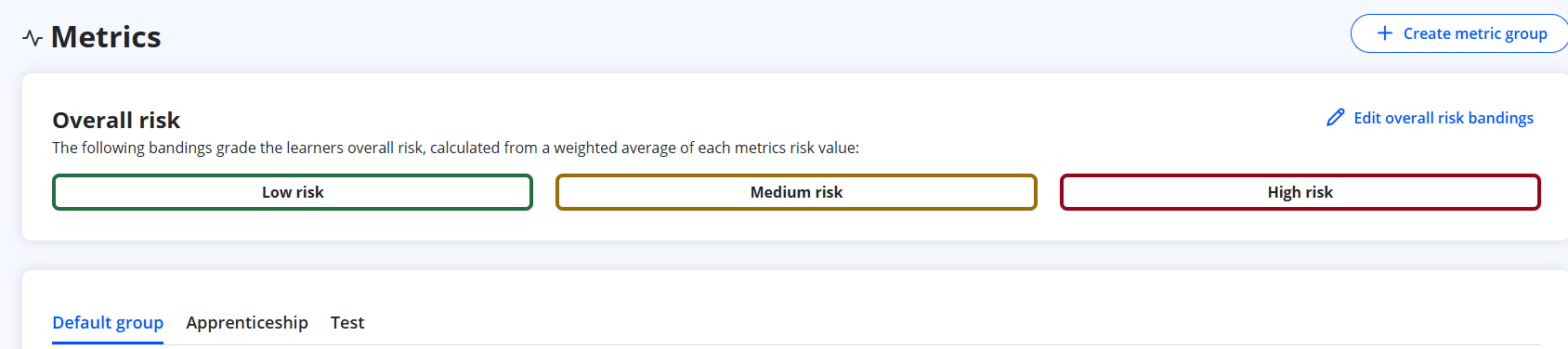
- Click Manage metric group.
- Click Delete metric group.
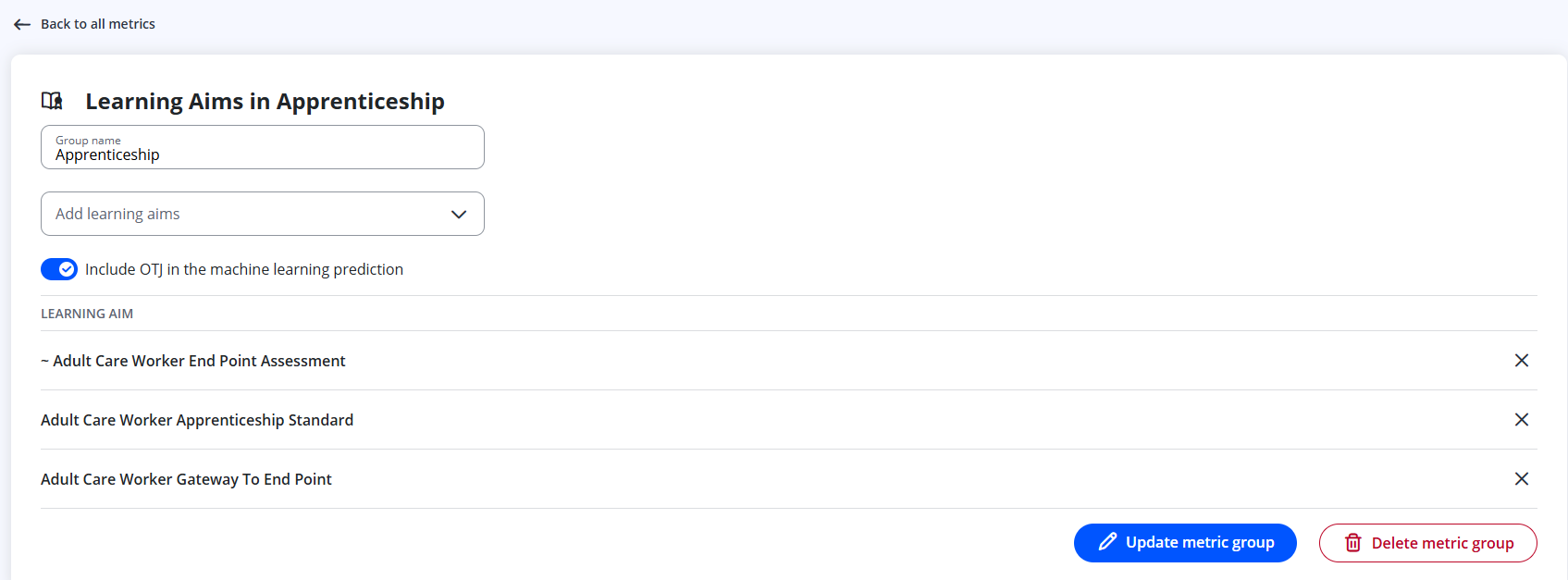
Information
When a Metric Group is deleted:
- All Learning Aims within that group will automatically return to the default Metric Group.
- Metric Groups cannot be restored once deleted — a new group would need to be created if required.
Tips & Notes
- Only Admin users can delete Metric Groups.
- Ensure Learning Aims are reassigned appropriately before deleting if you want them grouped differently.
- The default Metric Group cannot be deleted.
Terminology
Please note that terminology used in this article may differ depending on your Centre.
Related Articles
- How to Create Metric Groups
- How to Create a Metric
- How to Edit a Metric
- How Is the Overall Risk Calculated?
Need Help?
If you encounter any issues or have questions, please contact Onefile Support or your internal support channels.