
Overview
If a user account has been created with an incorrect email address, or if the email address needs to be updated for any reason, you can update both the Primary Email and the Keychain Email by following the steps below.
Who Can Use This Feature?
- Centre Manager
Centre Settings
No additional centre settings are required to update user email addresses.
Steps to Update the Email Address
Step 1: Log In as a Centre Manager
Access the user’s profile from the Users area.
Step 2: Unlink the Keychain
- Under Keychain, click Unlink Account.
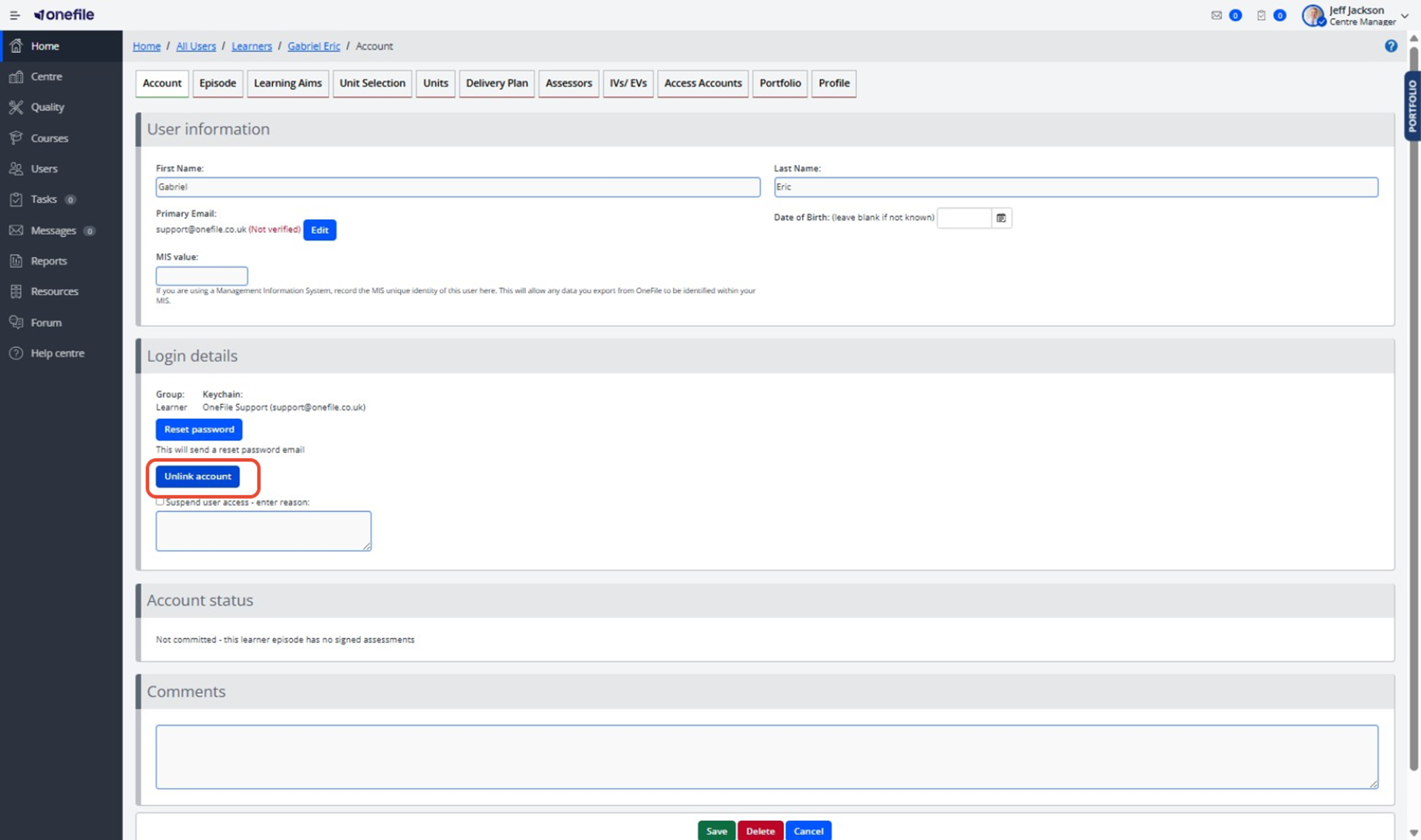
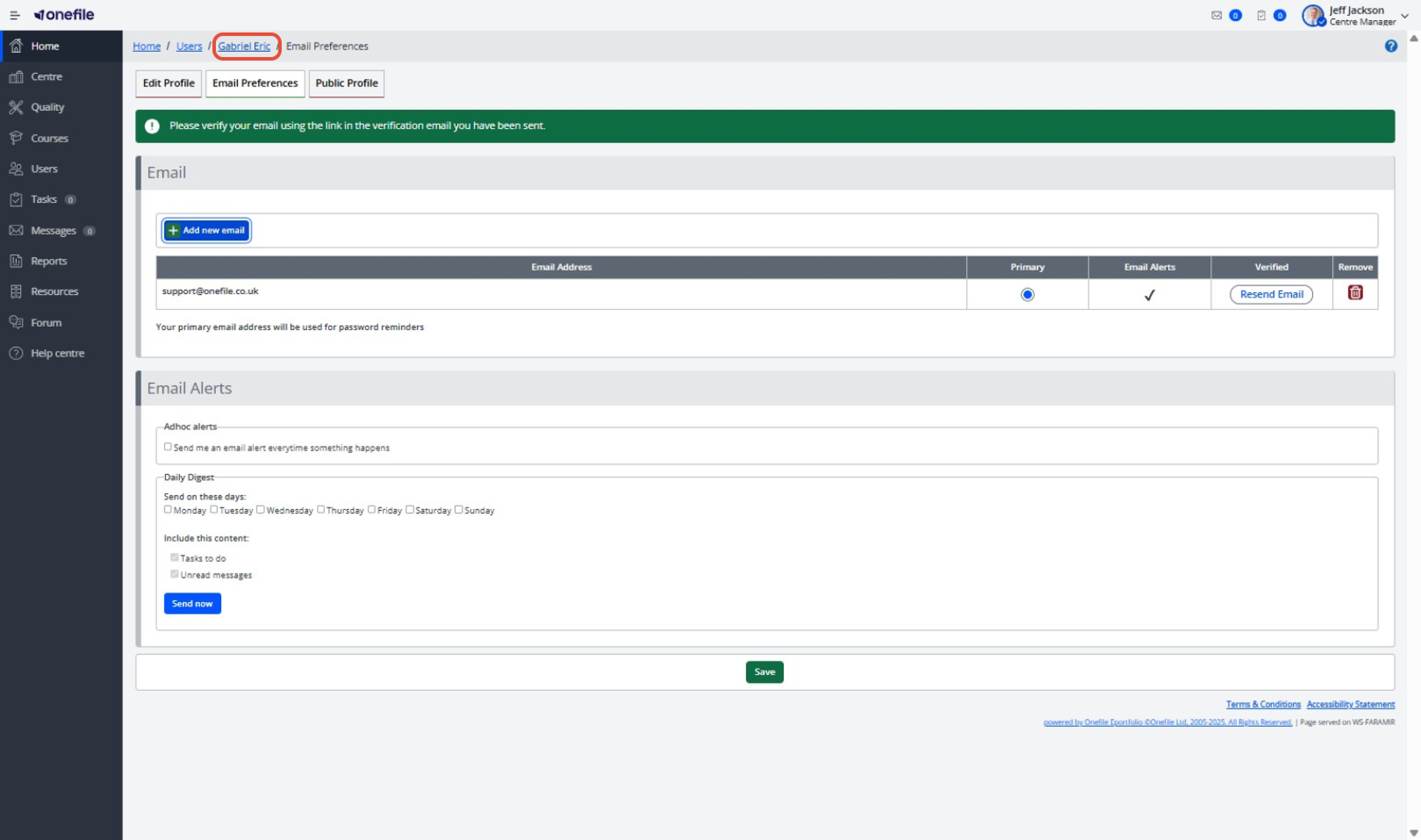
Step 3: Update the Primary Email
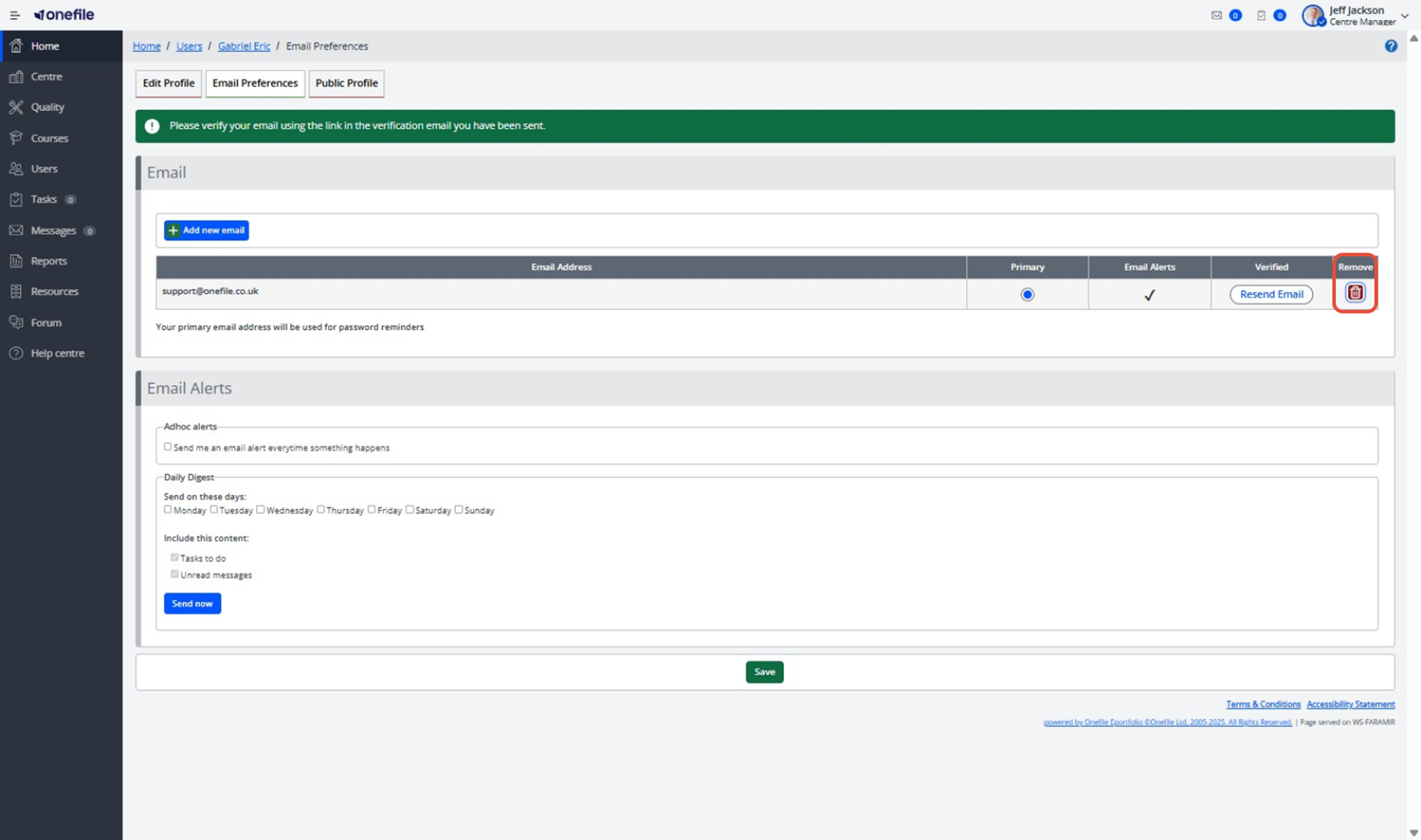
- Next to Primary Email, click Edit.
- Locate the incorrect email address and click Remove.
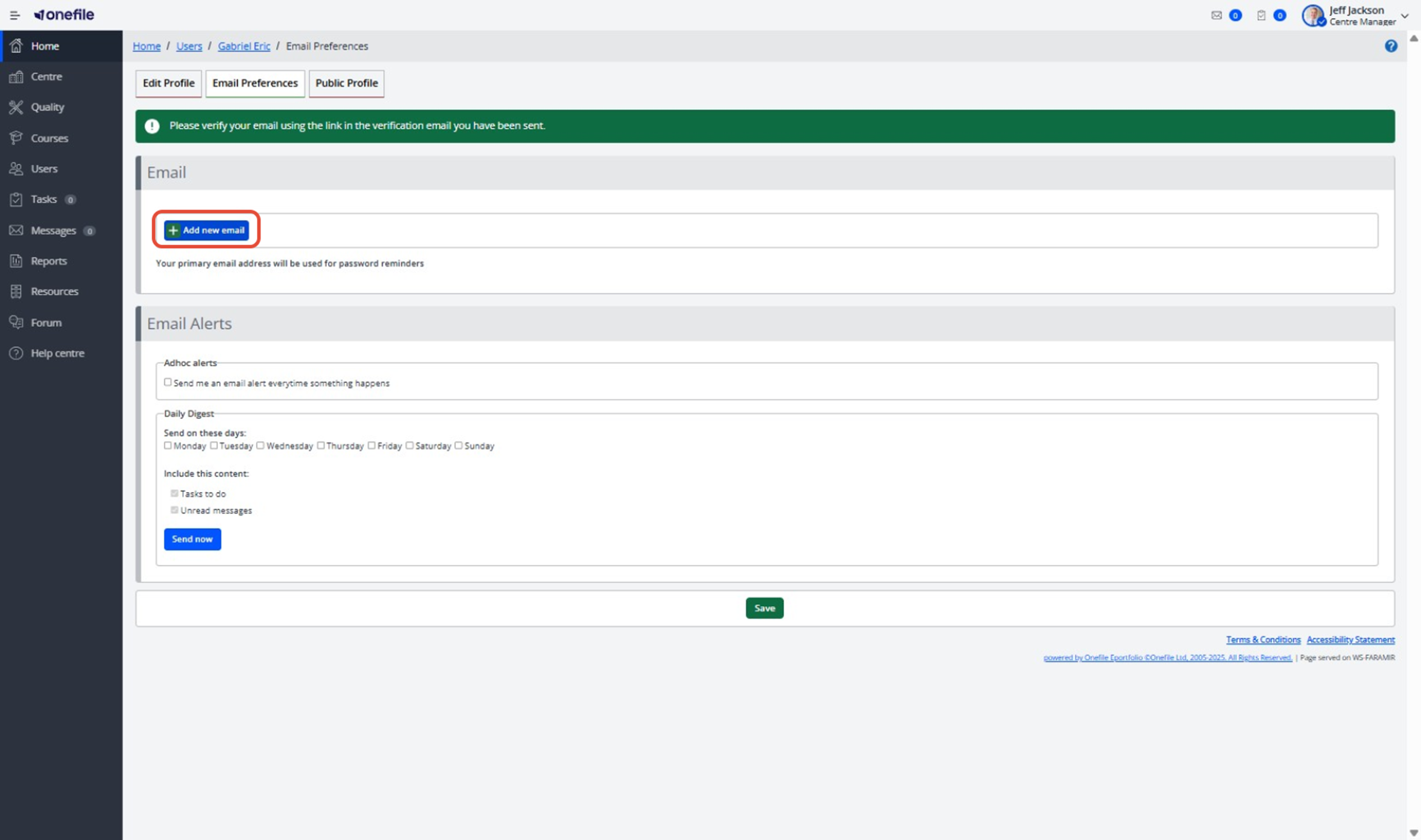
- Click Add New Email.
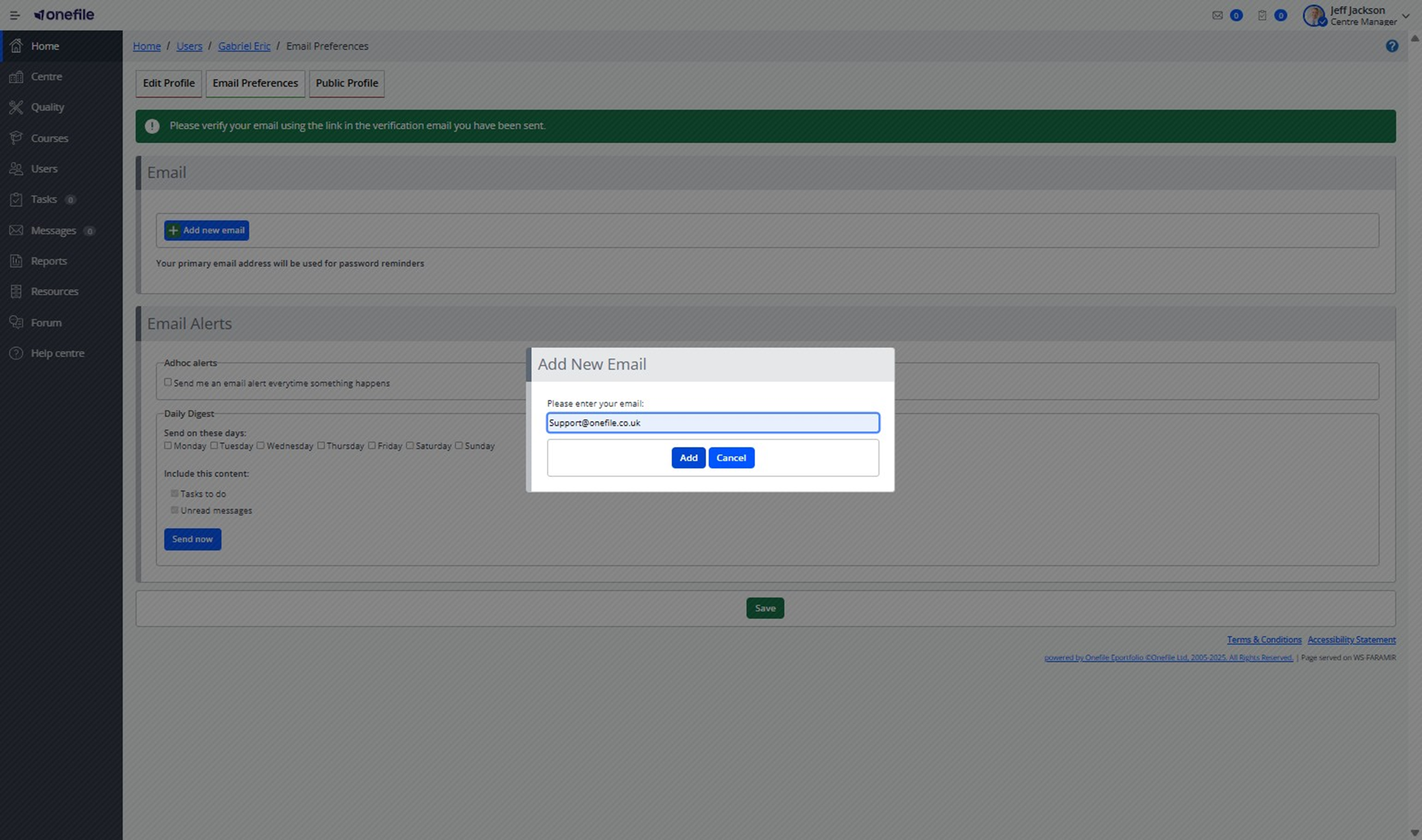
- Enter the correct email address and save the changes.
Step 4: Send Login Details to the New Email
- Navigate back to the user’s account page.
- Click the Email button.
- This sends a username and password to the newly added email address.
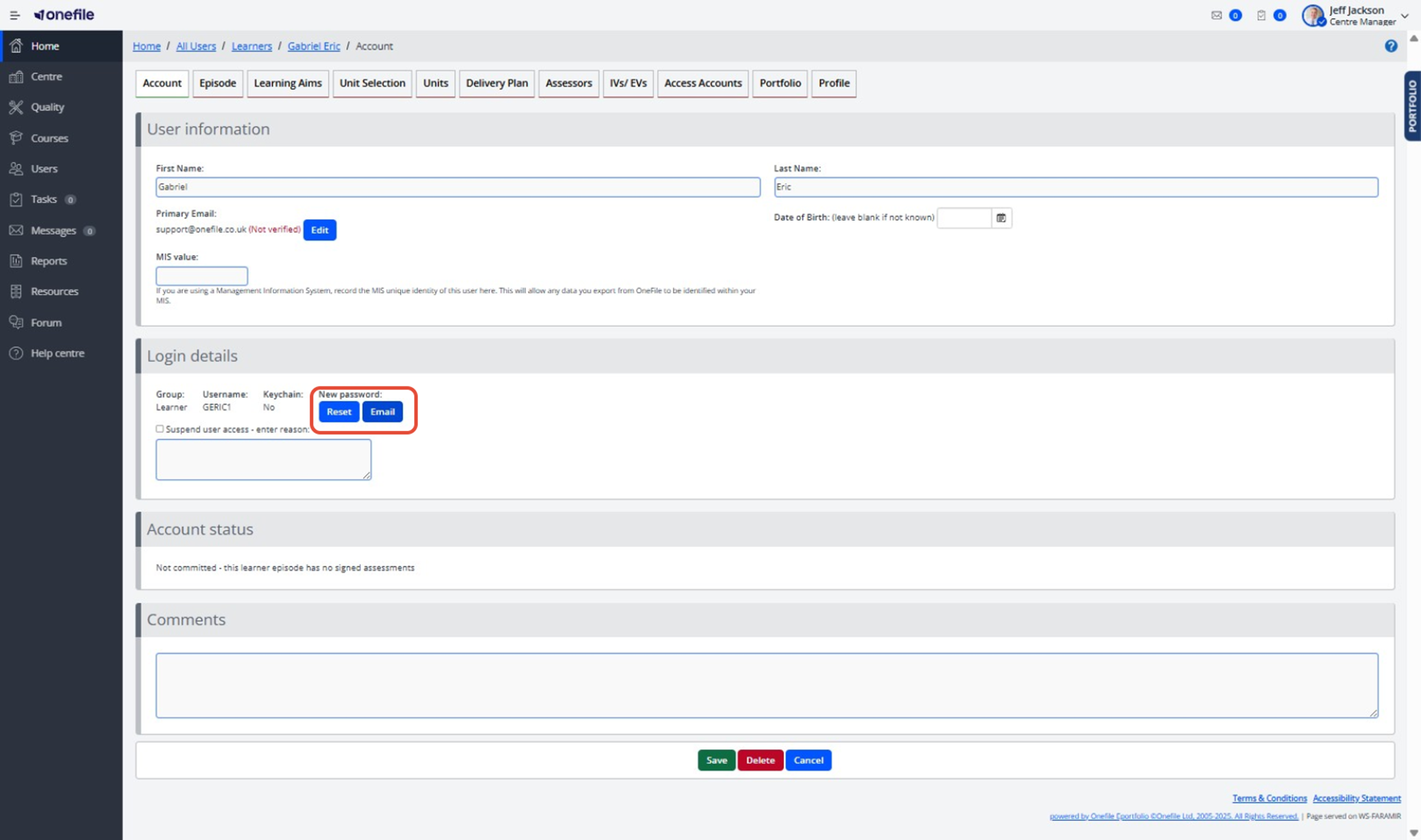
When the user logs in with these credentials, they will be guided through creating a new Keychain.
Need Help with Keychain Setup?
For detailed instructions on completing Keychain registration, see the following guide:
➡️ Keychain Registration
Important Notes
- Unlinking the Keychain is required to update the Keychain Email.
- Users will not be able to log in until they complete the new Keychain setup process.
✅ Tip: Always confirm the new email address with the user before making changes to avoid repeated resets.
Terminology
Please note that the terminology used in this article may vary depending on your Centre.
❓Need Help?
If you encounter any issues or have questions, please contact Onefile Support or your internal support channels.